
I accidentally click on the map and fly across the space
Cosmos uses single-click to move by default — your avatar walks to wherever you click on the floor plan. If you find yourself accidentally clicking the map and ending up across the space (or interrupting your own flow), you can switch to double-click to move so single clicks stop teleporting you.
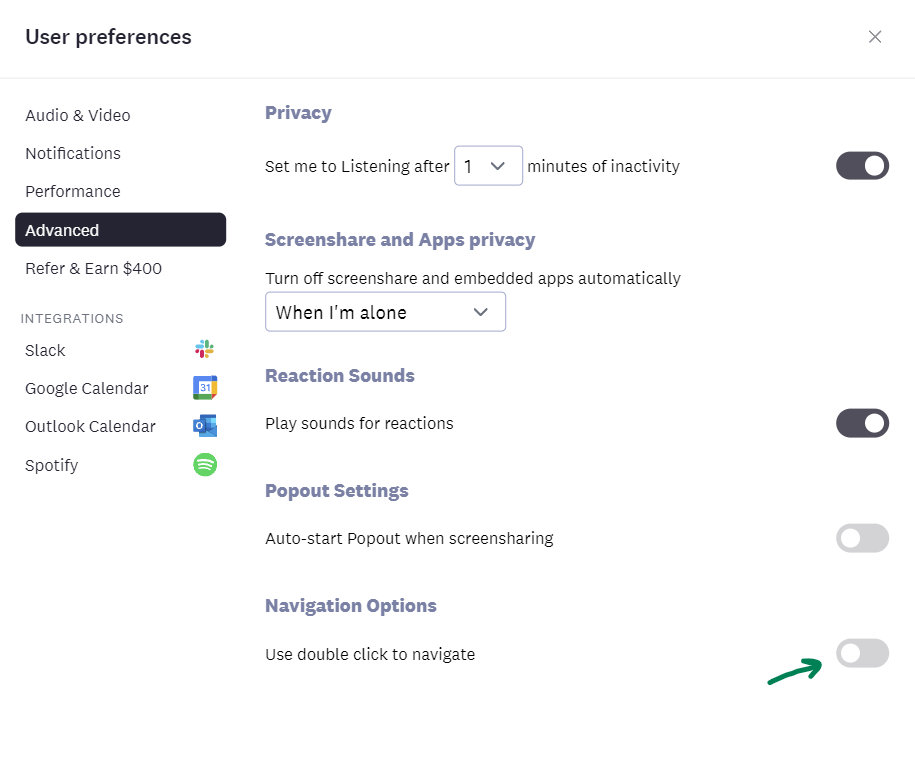
How to enable double-click to move
1. Click on the space dropdown in the top-left (or your profile in the bottom-left)
2. Go to User Preferences > Advanced
3. Find Navigation Options
4. Turn on Double-click to move
With this on, you'll need to double-click anywhere on the floor plan to move. Single clicks no longer trigger a walk — useful if you tend to click around the map while listening or reading.
Going back to single-click
Just toggle the setting off again. The change applies immediately, no refresh needed.